
Dudespin App for Android, iPhone and iPad Users in the United Kingdom
300% up to €2,000 + 150 FS
Dudespin App Download for players in United Kingdom in 2026. Claim the offer and start playing today. Updated by our editors. Verified data only. No small print surprises.
18+. T&Cs apply. Wagering applies. Operator terms list the UK as a restricted country.
Dudespin: welcome bonus for new players
- mobile-friendly
- regular promotions
- support 24/7
I walk through the Dudespin app download and APK route for players in the United Kingdom in 2026, covering Android, iPhone, the mobile browser and UK Gambling Commission licensing.
Get the Dudespin App on Your Phone in a Few Steps
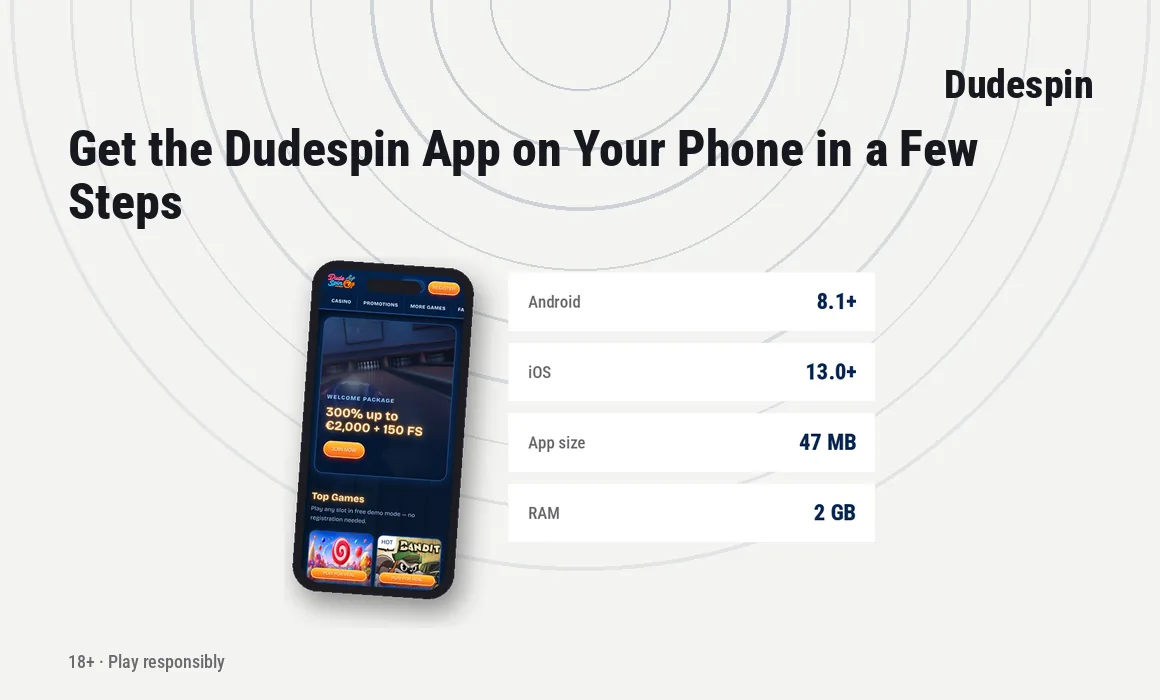
The dudespin app download starts on the official Dudespin website, not in a search result or a forum link. Dudespin is linked to Dude spin Casino and available to players in the United Kingdom. Check the official site and any store listing first, then follow the route that matches your phone.
Installing the APK on Android
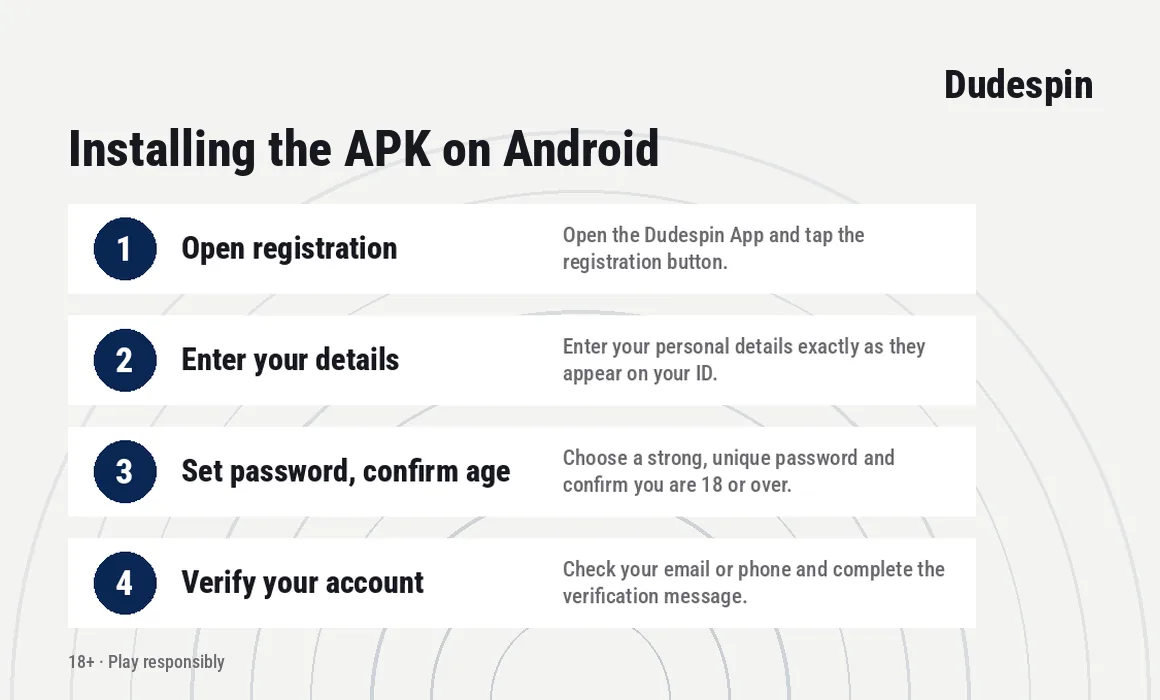
For the dudespin app apk, I would only ever use the official site and avoid third-party APK mirrors, since a modified file can carry malware or steal login details. The current build is listed on the official download page, so I do not rely on version numbers quoted elsewhere.
1. Open the official Dudespin site in your phone browser and find the download page.
2. Tap the Android download button to fetch the APK.
3. When Android blocks the install, open Settings and allow installs from unknown sources for your browser only.
4. Open the downloaded file and confirm the installation.
5. Switch the unknown-sources permission off again, then launch the Dudespin App and log in.
Using Dudespin on iPhone and iPad
I would not assume an App Store listing exists for the Dudespin App. The reliable first step is to open the official site in Safari and look for the current iOS route, which the operator describes on its own pages. Where no app is offered, the mobile browser version of Dudespin works on iPhone and iPad without any installation.
If a store listing is shown, check that the publisher name matches the one on the official site before installing. Treat any link that arrives by message or social media with suspicion. Whatever the route, gambling is for adults aged 18 and over, and I set a deposit limit before my first session.
Dudespin App or Mobile Browser: Which One I Would Pick
For regular play I would pick the mobile app, and for occasional sessions the mobile browser. The app suits quick access, while the browser needs no storage space or updates. Which is better depends on how often you play and how much phone space you can spare.
The table below compares both routes in qualitative terms only, as I have no measured figures to quote for either.
| Criterion | App | Mobile browser |
| Speed of access | One tap from the home screen | Needs a bookmark or typing the address |
| Storage | Uses space on the phone | Uses almost none |
| Updates | Installed by you, or by the store | Always the current site version |
| Convenience | Suits frequent, regular play | Suits occasional play |
| Setup | An APK on Android needs a permission step | No installation |
My own rule is simple. If I plan to open Dudespin several times a week, I go for the dudespin app download, since a shortcut saves effort. If I play rarely, or the phone is short on space, I stay in the browser and avoid handling an APK file at all. Fewer installed files also means fewer things to keep updated and secured.
Phone Requirements and What the App Gives You
Before any dudespin app download, I check the official download page, which lists the current phone requirements. The mobile app is built around a lobby, real money games and account tools, so a reasonably recent phone with a stable connection and some free storage is what I would prepare.
I do not quote operating system versions or memory figures here, because they change between builds and I would rather you read the current ones at the source. The same applies to the dudespin app apk: only the official page shows which Android builds it supports.
What I check first after installing
Once the Dudespin App is on my phone, I look at the account tools before anything else. I want to know where deposit limits, session reminders and time-out options sit, and I set them before playing.
Next I browse the lobby. It is where the real money games are listed, and I check that the menu is easy to navigate on a small screen. Real money games carry the risk of losing what you stake, so I treat them as paid entertainment and never as a way to earn.
The Dudespin App is also described in some searches as an alcohol game app, so I read the official description to see what is actually offered rather than relying on that label. Finally, I check that the cashier and support options open properly on mobile.
Logging In and Registering Through the App
To start, open the app, choose the sign-up option and enter your details. Players must be 18 or over. Returning users go straight to the login screen. I cover the full process in the dedicated registration and login guides, so this is the short version.
For the dudespin app registration, I follow these steps in order, and the same screen serves the dudespin app login afterwards:
1. Open the Dudespin App and tap the registration button.
2. Enter your personal details exactly as they appear on your ID.
3. Choose a strong, unique password and confirm that you are 18 or over.
4. Check your email or phone for any verification message and complete it.
5. Log in with your new credentials and review the account settings.
If you play through the site instead, the Dude spin Casino login works the same way with the same credentials.
I keep my password private, never save it on a shared device, and switch on a screen lock on my phone. Expect identity checks too: KYC verification will be requested, usually before a withdrawal, so having a valid ID ready saves time.
Welcome Offer and Free Spins When Playing on Mobile
The welcome offer is claimed with a deposit, so it is not free money. Any dudespin app welcome bonus comes with wagering terms, and I always read them on the promotions page before I deposit. Current terms can change, so I do not rely on old figures.
How the offer works for app users
The Dudespin App offers a welcome bonus, and the dudespin app welcome bonus is tied to a qualifying deposit. The wagering requirement is set at x40, which means the bonus amount must be played through 40 times before winnings can be withdrawn. I treat that as a real cost of accepting the offer, not a detail to skim past.
I do not quote bonus amounts, percentages or codes here, because they change. If you search for a dudespin app promo code, check the promotions page first, since it shows whether a code is needed at all.
Free spins and no deposit offers
Free spins attached to an offer follow their own rules, usually covering eligible games and a time limit. Before using any dudespin app free spins, I check which games they apply to and how long they stay valid.
Players often search for a dudespin app no deposit bonus. I would not assume one exists. If the promotions page does not list it, treat claims elsewhere with caution.
Bonuses are for entertainment and carry the same risk as any play. I only accept an offer if I am comfortable with its terms, and I never chase losses to meet wagering. The dedicated bonus page covers the details.
Depositing and Cashing Out From Your Phone
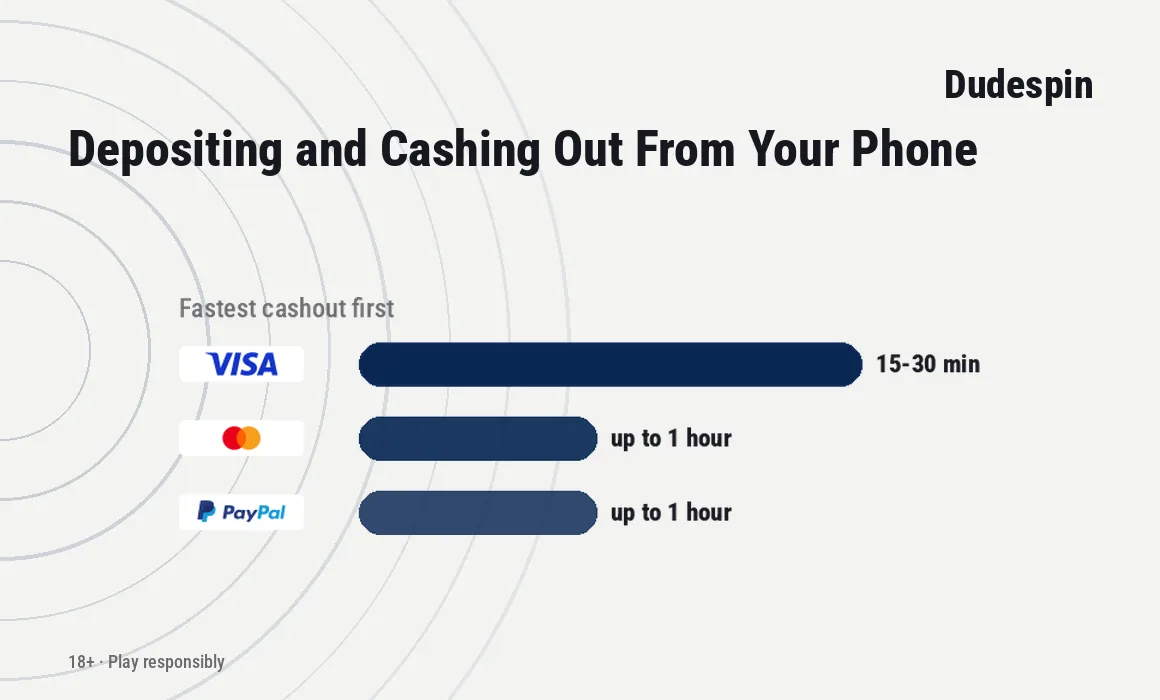
I use Visa as my main example for payments in the app. The app accepts Visa, Mastercard and PayPal, and the cashier shows which are available for deposits and withdrawals on your account, along with current limits and processing times.
Payment methods in the app
| Method | Deposit | Withdrawal |
| Visa | Accepted | Check the cashier |
| Mastercard | Accepted | Check the cashier |
| PayPal | Accepted | Check the cashier |
I do not quote limits or payout times, because the cashier lists the current figures and they can differ by method.
What I do before my first transaction
For a dudespin app deposit, I open the cashier, choose Visa, enter the amount and confirm. Before paying, I set a deposit limit in my account tools so that I decide my budget in advance, not mid-session.
For a dudespin app withdrawal, I recommend using the same method I deposited with, as it is usually the simplest route and matches standard anti-fraud checks. I also complete KYC early, because identity verification is typically requested before a first withdrawal and can delay payouts if left until the last minute.
The payments page has more detail on each method.
What You Can Play and Bet on in the App
The app gives access to real money games and sports markets such as the Premier League from one account. I keep to categories here, because the lobby changes over time. The app lobby shows what is currently available to you, so I check there first.
Games and sports on mobile
The Dudespin App offers real money games, which means every stake is your own money and every session carries the risk of loss. I treat them as paid entertainment, never as a way to earn.
For sports, the Premier League is the market I look for first. Football fixtures usually sit in a dedicated sports section, separate from the casino lobby, so I check which of the two I am in before placing anything.
Some searches describe the Dudespin App as an alcohol game app. I would not rely on that label. The lobby and the official description show what is actually offered, and that is what I go by.
What I check first on a small screen
A phone screen shows far fewer items than a desktop, so I start with search and filters. I use search to find a category quickly and filters to narrow the lobby instead of scrolling through everything.
I also check that bet slips and game screens are readable without zooming, and that account tools such as deposit limits are easy to reach. I set limits before playing.
Gambling is for adults aged 18 and over. Play only with money you can afford to lose, and stop if it stops being fun.
Is the App Safe? Licence, Encryption and Fair Play
My trust anchor is the licence. The Dudespin App is licensed by the UK Gambling Commission, which regulates gambling for players in Great Britain. I do not quote a licence number here, so I check the licence line in the site footer and then confirm it on the UKGC register.
Encryption, fair play and identity checks
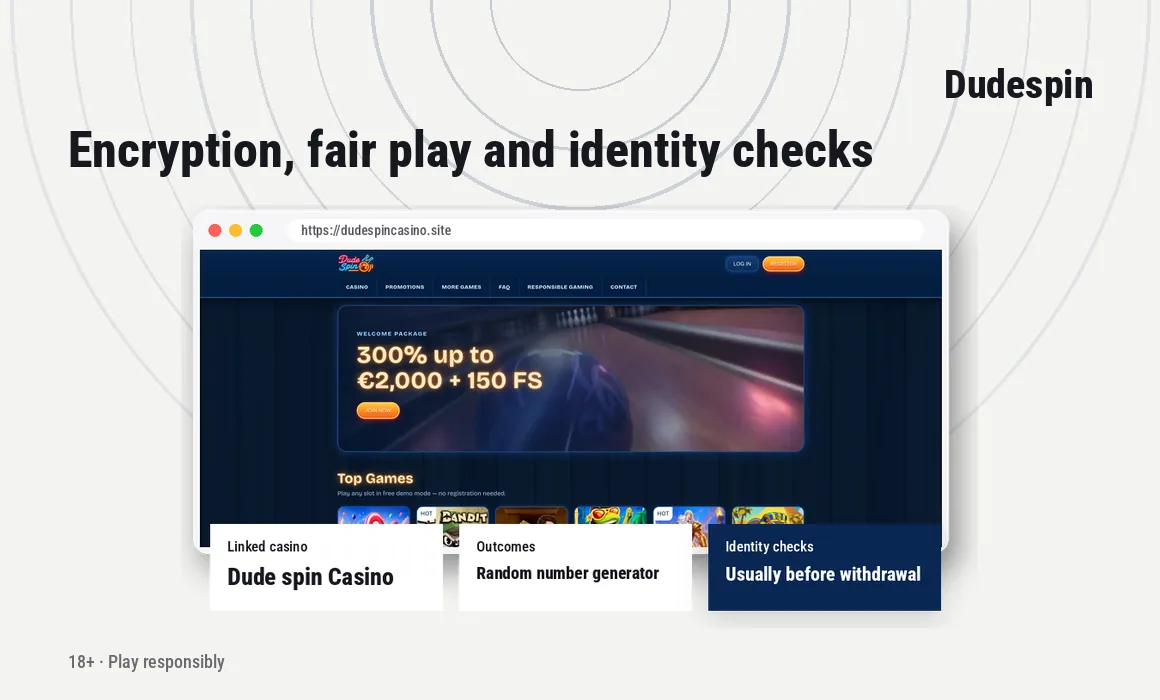
The app uses SSL, which encrypts data between your phone and the operator, including login details and payment information. A padlock in the browser is a good sign on the website, and I still do not treat it as proof of legitimacy by itself.
RNG, or random number generator, is the system that decides outcomes in real money games and is meant to keep results unpredictable. It supports fair play, but it does not change the fact that the house has an edge and losses are normal.
KYC is the identity verification the app requires. I expect to provide ID and proof of address, usually before a first withdrawal.
Checklist before installing
1. Reach the download page only from the official Dudespin site, never from an ad, message or forum link.
2. Compare the licence line in the footer with the UKGC register entry.
3. Check that the web address matches exactly, since phishing look-alikes often change one letter.
4. Avoid third-party APK mirrors and files that arrive by message.
5. Review the permissions requested at install and refuse anything unrelated to the app.
Gambling is for players aged 18 and over. If it stops being entertainment, use the account tools to set limits or take a break.
When the App Will Not Install, Open or Log In
Most problems with the mobile app come from a blocked install, an outdated file, a weak connection or mistyped credentials. I work through a short list of fixes in order before contacting anyone.
1. For a failed dudespin app download, check your connection and free storage, then retry from the official site only.
2. For a dudespin app apk that will not install, confirm the unknown-sources permission is allowed for your browser, then download a fresh copy rather than reusing an old file.
3. If the app freezes or will not open, restart the phone, update the operating system and reinstall the latest build.
4. For a failed dudespin app login, check the email and password for typos, then use the password reset option.
5. The Dude spin Casino login uses the same credentials, so if one works and the other does not, the problem is likely the app and not the account.
6. If dudespin app registration is rejected, check that your details match your ID exactly and that you are 18 or over.
7. Turn off any VPN, since location checks can block access.
If none of this helps, the help section on the site lists the current contact options.
Staying in Control on Mobile: Limits and Self-Exclusion
Phone play is always at hand, so I set limits deliberately. I set a deposit limit before my first deposit.
Tools I use
Deposit limits cap how much you can add over a chosen period. I decide the amount while calm, not during a session, and I keep to it.
Self-exclusion blocks your access for a period you choose. If gambling stops being entertainment, I would use it without hesitation and not wait.
Because a phone is always in reach, I also avoid playing when tired, upset or after drinking, and I never chase losses.
Where to get help
Gambling is for adults aged 18 and over, and losing money is a real possibility. GamCare offers free, confidential support for anyone in Great Britain worried about their gambling or someone else's. Use their helpline or live chat if you need to talk.
My Verdict on the Dudespin App
In this dudespin app review, my verdict is cautiously positive. The app suits adults who want quick mobile access to a UK Gambling Commission licensed operator, provided they set limits first and accept that real money play carries a risk of loss.
Pros and cons
| Pros | Cons |
| Licensed by the UK Gambling Commission, which I can verify on the register | An APK on Android adds a manual install and permission step |
| Account tools such as deposit limits and self-exclusion are available | The iOS route is not confirmed, so I rely on the official site |
| Visa, Mastercard and PayPal are accepted for payments | The welcome offer carries x40 wagering and needs a deposit |
| The mobile browser works as a no-install alternative | Constant access on a phone makes overspending easier |
Who it suits

I would recommend the Dudespin App to players who value a licensed operator and are comfortable reading bonus terms before accepting them. I would not recommend it to anyone hoping for real money winnings as a source of income, since that is not what gambling is for, and results are never predictable.
I have not quoted ratings or review counts, because I have no verified figures. Check recent player reviews alongside the official terms and make your own call.