
Dudespin Login for UK Players: Desktop, Mobile and Password Reset
300% up to €2,000 + 150 FS
Dudespin Login for players in United Kingdom in 2026. Register the offer and start playing today. Updated by our editors. Verified data only. No small print surprises.
18+. T&Cs apply. Wagering applies. Operator terms list the UK as a restricted country.
Dudespin: welcome bonus for new players
- mobile-friendly
- regular promotions
- support 24/7
I walk through Dudespin login for registered UK players in 2026: desktop and mobile steps, password reset, account recovery and what to do when sign-in fails. The brand is licensed by the UK Gambling Commission (UKGC).
Log In to Your Dudespin Account in Under a Minute
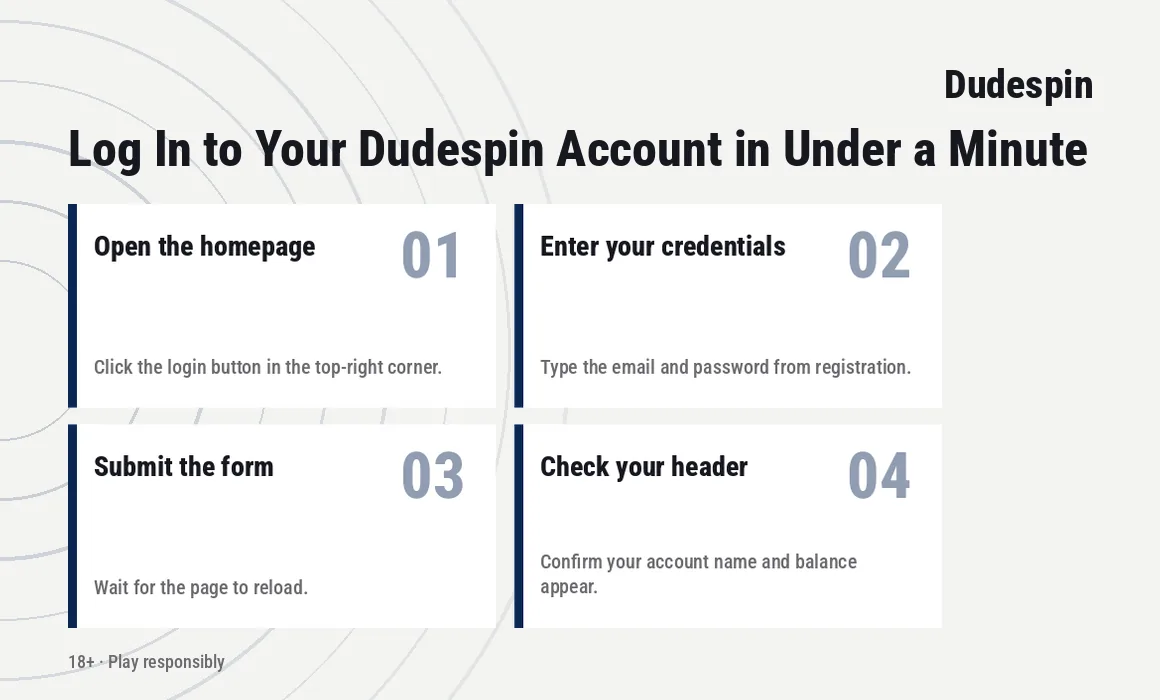
The login button sits in the top-right corner of the Dudespin homepage. I enter the email and password chosen at registration, submit, and check that my username or balance appears in the header. Dudespin is licensed by the UK Gambling Commission (UKGC), and you need an account before you can sign in.
Desktop login steps
1. Open the Dudespin homepage in your browser and click the login button in the top-right corner.
2. Enter the email address and password you used at registration.
3. Submit the form and wait for the page to reload.
4. Check the header: I look for my account name and balance, which confirms the session is active.
If the login form rejects you at the first attempt, I re-type the password slowly rather than pasting it, as stray spaces are a common cause.
If login issues appear
Most login issues I see come down to a mistyped password or a wrong email address. For a forgotten password, I use the password reset option on the login form, which sends an email recovery link to the address on file. Follow that link and set a new password. If the email never arrives, I check the spam folder before trying again.
When the reset does not solve it, account recovery goes through customer support, who can help with a locked or inaccessible account. The same channel handles account deletion requests, so I would contact them rather than looking for a hidden button.
New to the site? Login requires registration first, so head to the registration page and create your account there. Gambling is for adults aged 18 and over, and it carries a real risk of losing money.
Signing In on a Phone or Tablet
I recommend mobile login through the browser: open Dudespin in Safari or Chrome, tap the login button, and enter the same email and password as on desktop. Nothing needs installing, and the account is identical on every screen.
On a phone, I notice the layout collapses into a compact menu, so the login button may sit behind the menu icon rather than in plain view. After signing in, the header still shows my account details, just in a tighter format. The mobile casino runs the same lobby as desktop, only rearranged for touch. If you prefer the dudespin app, the dedicated app page on the site is the place to look.
Using one account on several devices
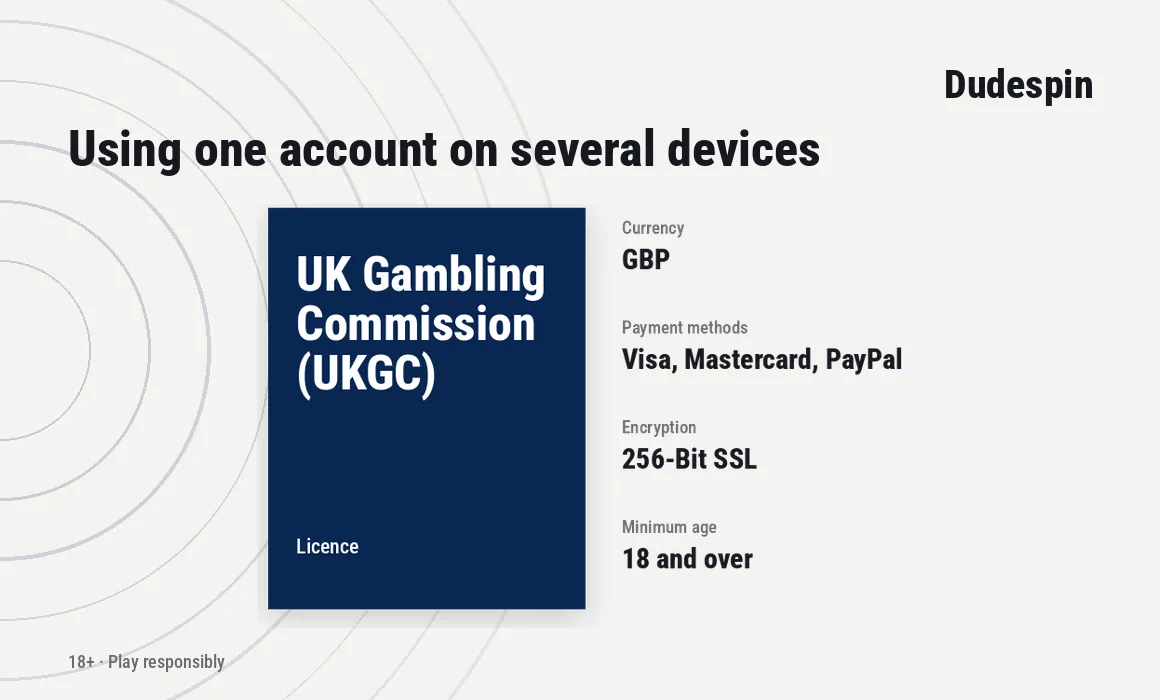
Dudespin's mobile casino enables multi-device access, so one account works on a laptop, phone and tablet with the same credentials and balance. I would advise logging out on any shared or public device, since closing the tab does not always end the session. I would not assume anything about session limits either; the account settings are where to check how simultaneous sessions are handled.
Forgotten Password: Reset It Step by Step
If you forget your password, use the password reset option on the Dudespin login form. It sends an email recovery link to the address on your account. I open that link, set a new password, and then log in again. If nothing arrives, I check the spam folder first.
Password reset steps
1. Open the Dudespin login page and select the password reset option.
2. Enter the email address you used at registration.
3. Submit the request and open your inbox.
4. Click the email recovery link. The email itself states how long the link stays valid, so I read that before doing anything else.
5. Choose a new password and confirm it.
6. Return to the login page and sign in with the new details.
When the email does not arrive
I check the spam and junk folders first, then confirm the address I typed matches the one on the account. I recommend requesting only one link at a time. Sending several requests can leave older links in your inbox, and it becomes unclear which one still works.
If the email still does not appear, the problem usually falls under login issues rather than a faulty reset. At that point I contact customer support, who cover login issues and can look into account recovery if the email address is no longer reachable.
Support is also the route for account deletion, and for site blocked access if the page will not load from your network. A login requires registration first, so a reset only works for an account that already exists.
Recovering an Account You Can No Longer Access
If the reset email never works because you lost access to the email address or the password, account recovery goes through customer support. I begin with the password reset link, and if that fails, I contact Dudespin support and ask what they need to verify my identity.
Start with the reset link
I always try password reset first, because the email recovery link is the quickest route when the mailbox is still yours. It also uses the same mechanism as standard account recovery, so a successful reset often ends the problem without further steps.
Contact customer support
When the mailbox is lost or the reset fails, I write to customer support and explain the login issues I am having. Expect to be asked for proof of identity, since login requires registration details that must match the person who opened the account. I do not assume which documents are needed or how long the check takes. Support confirms what is required, so I follow their instructions rather than guessing.
Security and related requests
Dudespin uses SSL to encrypt data between your device and the site, which is one reason identity checks happen before access is restored. If two-factor authentication (2FA) is available on your account, I keep its recovery details somewhere safe, because losing that second step can add to login issues. Support also handles account deletion if you decide not to continue.
Why Login Fails and How I Fix It
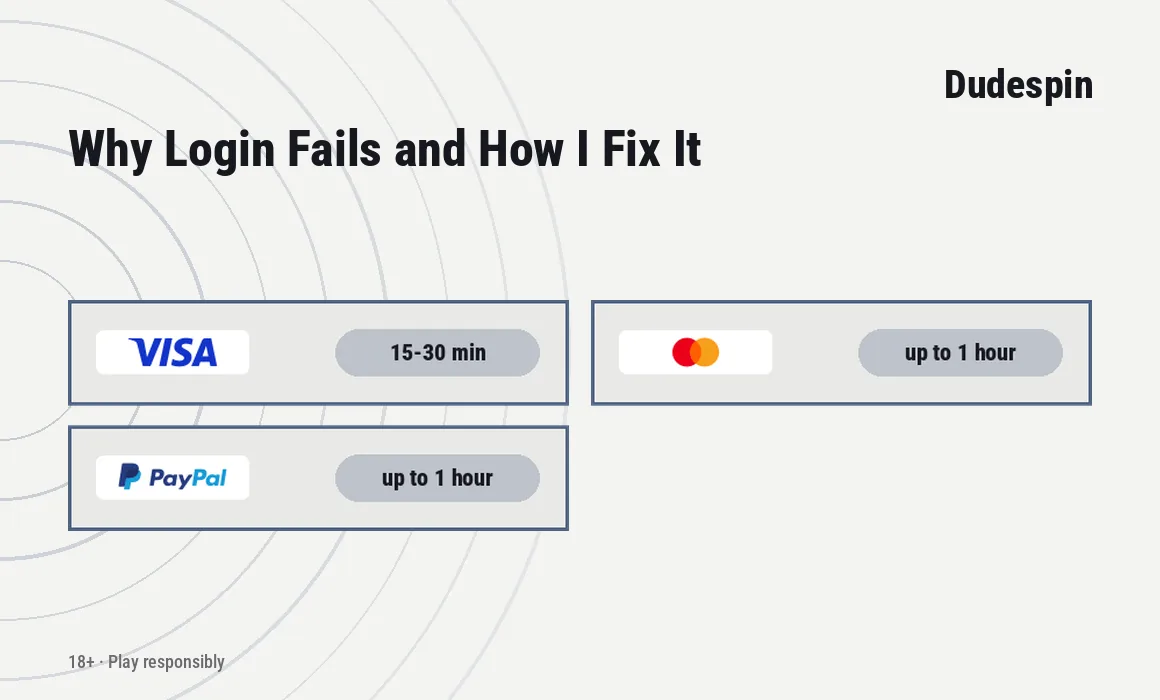
When a Dudespin login fails, I run the same checks in order: confirm the email and password, look for a locked account message, clear the browser cache, and test whether the site loads at all. Most login issues are solved by one of these steps.
| Symptom | Likely cause | What I try |
| "Incorrect details" message | Mistyped email or password, or caps lock on | Re-type slowly, check for stray spaces, then use password reset |
| Account locked message | Security lock after failed attempts | Stop retrying and contact customer support for account recovery |
| Login form reloads without signing in | Old cookies or cached page data | Clear the browser cache, or try a private window |
| Page will not open | Network or site blocked access | Switch network or device, then contact customer support |
| Reset email missing | Wrong address or spam filtering | Check spam, then confirm the address used at registration |
I do not know the exact number of failed attempts that triggers a lock, so I never guess. Customer support can confirm what applies to your account. A login requires registration first, so if no account exists, I create one before anything else. Support also handles account deletion if you decide to close the account instead.
When the site will not load from your network
If the page will not open, I first treat it as site blocked access on my current connection. I try another network, such as mobile data instead of home Wi-Fi, or a different device. If it still fails, I contact customer support and ask what is happening. I do not use tools or workarounds that breach the terms or UK rules, since that could put the account at risk.
Keeping Your Login Secure: 2FA, Passwords and SSL
My security routine for a Dudespin login has three parts: switch on two-factor authentication (2FA) if the account settings offer it, use a strong unique password, and only sign in on a connection I trust. Dudespin also uses SSL to protect the login page.
Two-factor authentication (2FA)
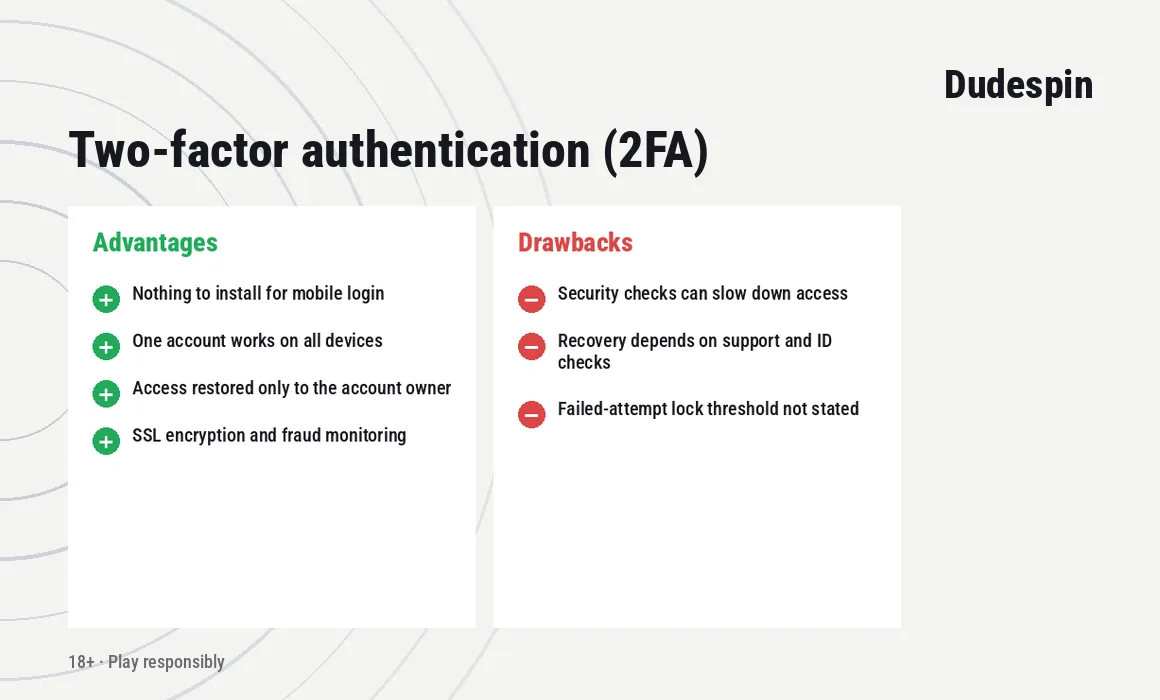
I recommend enabling 2FA whenever the account settings offer it. It adds a second check after the password, so a leaked password alone is not enough to get in. I store any recovery details for it somewhere safe, because losing that second step can create new login problems. I would check the settings page rather than assume how it works on your account.
Building a strong unique password
A strong unique password is one I have never used anywhere else. I build mine from a long phrase of unrelated words, mix in numbers and symbols, and avoid birthdays, names or anything visible on social media. A password manager helps me keep it unique without memorising it. I change it straight away if I suspect it has leaked.
SSL protection and fraud monitoring
Dudespin uses SSL, including 256-Bit SSL encryption, which protects the data sent between my device and the site, login details included. I look for the padlock icon in the address bar before typing anything. Dudespin also applies fraud monitoring, which helps flag unusual account activity, though it does not replace careful habits on my side. I avoid public Wi-Fi for sign-ins and log out on shared devices.
Gambling is for adults aged 18 and over. Treat it as entertainment, not income, and only play with money you can afford to lose.
After You Sign In: Cashier, Visa and GBP Balance
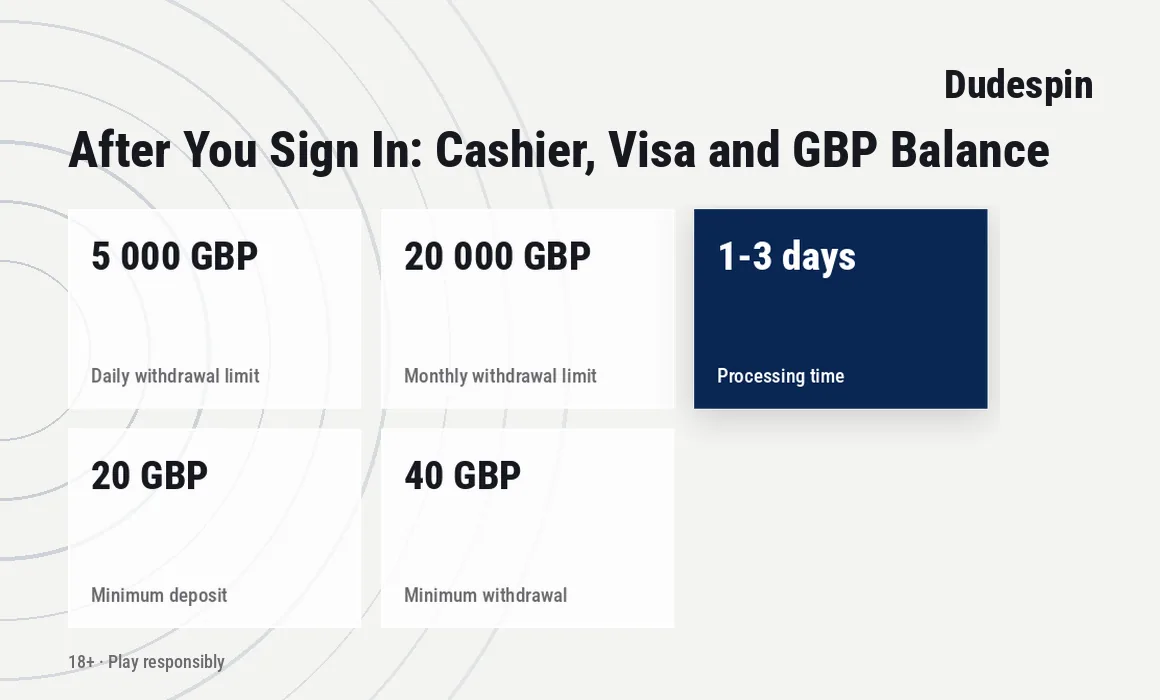
After login, I open the cashier from the account menu and check that my balance shows in GBP. Dudespin accepts Visa, Mastercard and PayPal, and the cashier lists the methods available on your account.
Where I find the cashier
The cashier sits in the account area, usually reachable from the header or the mobile menu. I confirm the currency is GBP before doing anything else, since Dudespin supports GBP for UK players.
Payment methods in brief
Dudespin accepts Visa, Mastercard and PayPal. I do not quote limits or processing times here, because the cashier lists them for each method and they can change. Check them on screen before confirming any payment.
This page only points you in the right direction. A dudespin deposit and a dudespin withdrawal each have their own page, where the steps are covered in full.
Gambling is for adults aged 18 and over. Treat it as entertainment, not income, and only stake money you can afford to lose.
Welcome Offer Once You Are Logged In

Once you have completed registration and logged in, the welcome bonus is claimed with a deposit. I read the promotions page terms before I pay anything in, because conditions can change.
The welcome bonus is listed at 300% up to $3000 plus 150 free spins. I treat those figures as headline values only, and the promotions page is where the current terms and eligibility are shown. The offer also includes a bonus feature, which I check in the terms rather than assume how it works.
I have not seen a dudespin no deposit bonus described in the materials I reviewed, so I do not treat any offer as available without a deposit. If you search for a dudespin promo code, I would check the promotions page first and only enter a code if the terms ask for one.
For the full conditions, see the bonus page.
Setting Limits and Staying in Control From Your Account
After my first login, I set a deposit limit before playing. Dudespin offers deposit limits and self-exclusion, and both are managed from the account area. Gambling is for adults aged 18 and over.
Deposit limits
I recommend choosing a deposit limit on first login, while I am calm and before any money is at stake. I pick an amount I could lose without it affecting my bills or savings. I check the account settings for how limits can be changed, rather than assuming the rules.
Self-exclusion
Self-exclusion is for anyone who feels play is getting out of hand. It blocks access to the account for a period I choose, and I would not leave it until I am sure. Customer support can help if I cannot find the option. GamCare offers free, confidential support for anyone affected by gambling, including help with self-exclusion.
Registration requires you to be 18+, and Dudespin is licensed by the UK Gambling Commission (UKGC). Treat gambling as entertainment with a real risk of losing money, never as income. If it stops being fun, step away and ask for help.
Closing or Deleting Your Dudespin Account
To close your account, contact customer support and request account deletion. I withdraw my balance first, because a closed account may be harder to access afterwards. Support confirms the steps and how long processing takes.
How I request closure
I write to customer support from the email address used at registration, so they can match the request to the account. If I cannot sign in, I try password reset first, since the email recovery link may restore login. When that fails, I explain the login issues and ask about account recovery before requesting account deletion. If the site will not load, I mention site blocked access too, so support knows the problem.
Closure versus self-exclusion
Account deletion and self-exclusion are different things. Deletion ends my relationship with Dudespin and does not by itself stop me opening a new account later. Self-exclusion is a protective measure meant to keep me from playing. If my reason for leaving is that gambling feels out of control, I choose self-exclusion, or set deposit limits if I want to keep playing within boundaries.
I do not assume timings or what happens to leftover funds, so I ask support to confirm both in writing.